Google Business Profile
A Google Business Profile can help boost your website's SEO, attract new customers, and build the credibility of your business. On top of all that it's free! Let's take a look at what it is and how to create one for your business.
If I had a penny for every time I use Google to find something on the internet I would be a wealthy woman!
Apparently, the average person uses it 3-4 times per day! (1) Searching for something on Google has become such an integral part of life that 'Google' was added to the Oxford English Dictionary as a verb in 2006. (2)
Other search engines are available but Google is still the most used, with over 9 billion searches every day (1).
So, it's worth spending a few minutes to make your business more visible on Google searches.
What is a Google Business Profile?
Google Business Profile used to be called Google My Business and I'm sure you've seen the profiles when searching on Google.
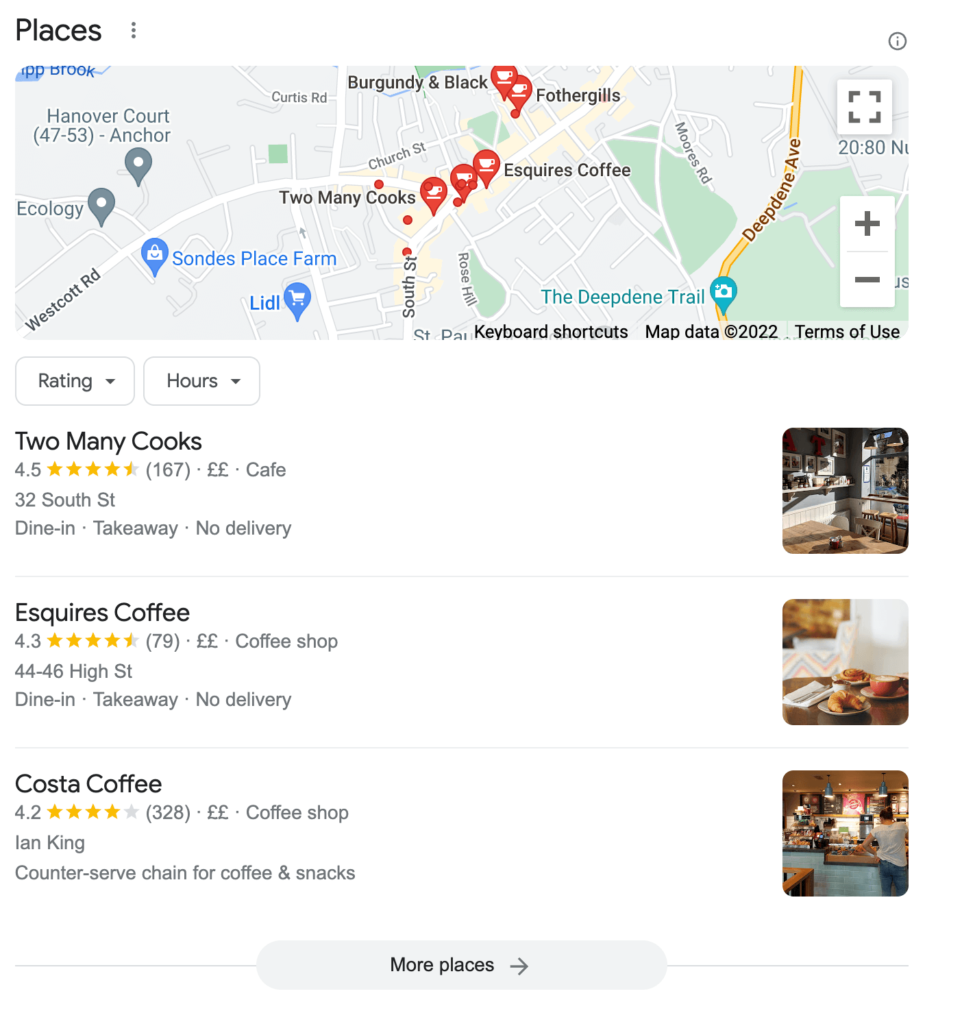
For example, if you search for a 'cafe in Dorking' on Google, you're presented with a map highlighting cafes in the area, with a selection of options, and a summary of information and reviews. This all appears before the main search results:
You can then click on "More places" to view a larger map and more cafes:
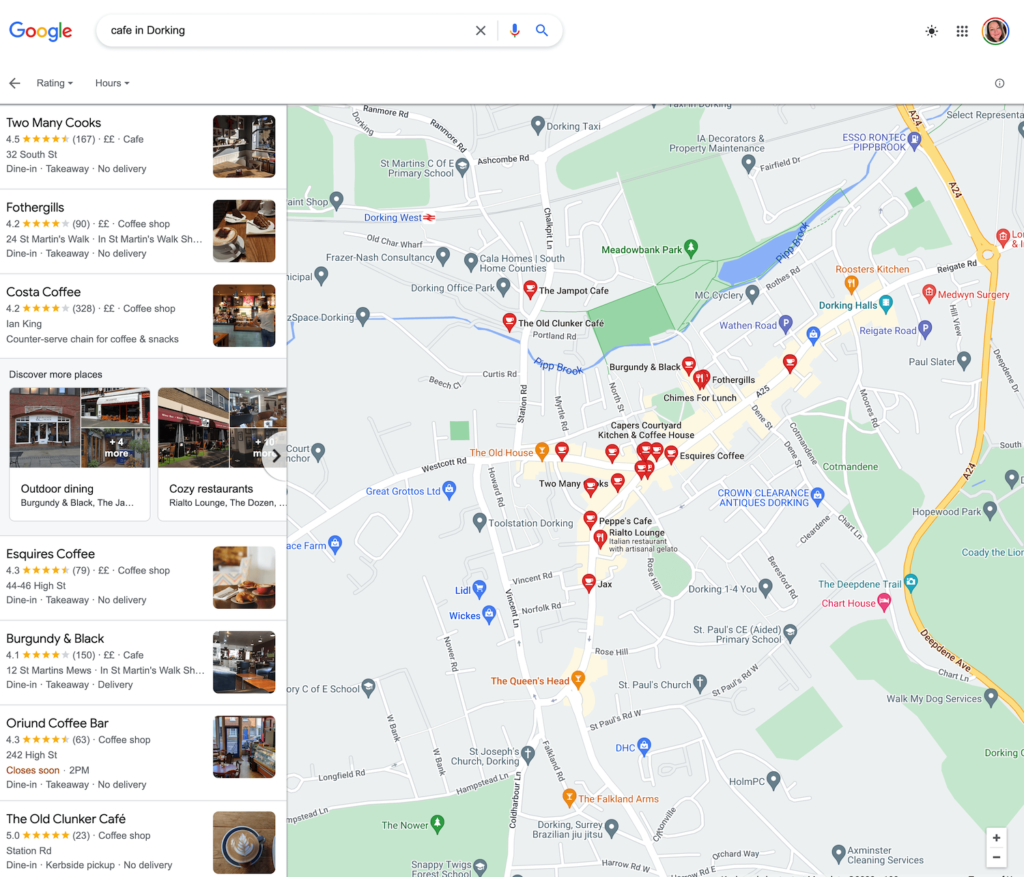
Each of the cafes highlighted, with a pin on the map showing their location, is a Google Business Profile. Once created, anyone searching on Google can find your business on the map quickly, rather than having to search through the results.
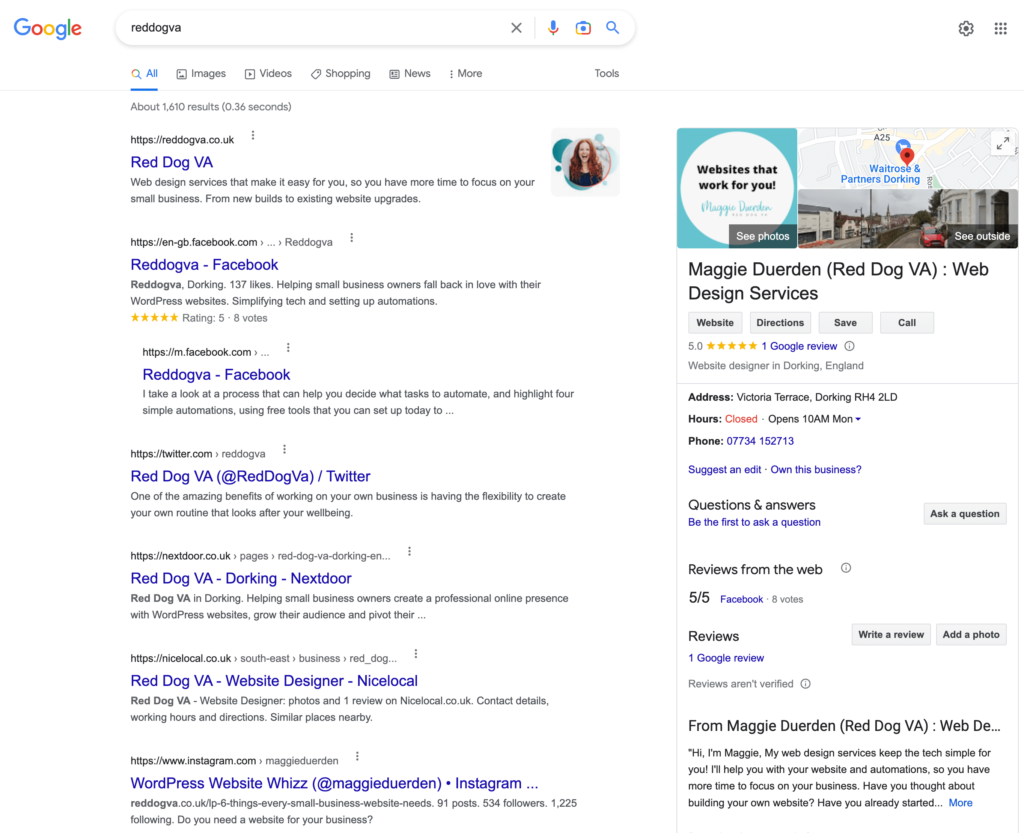
Also, if someone 'Googles' your business name, they can see a useful summary on the screen with your business details and a link to your website, as well as any search results:
How to create a Google Business Profile
It only takes a few minutes to create your profile. The first step is to sign in to your Google Account. If you don't have an account, you can follow these step-by-step instructions to create a Google Account.
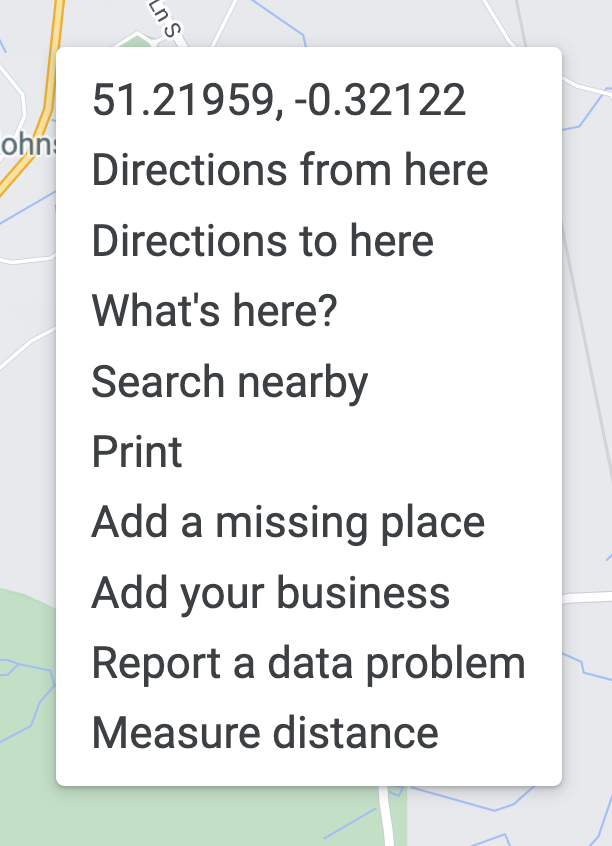
Then open Google Maps and search for your address. Right-click on the map and select "Add your business" from the menu.
Follow the on-screen instructions to finish signing up for your profile.
If your business is already shown on the map, you can click "Claim this business" to claim the listing, then follow the on-screen instructions to verify your claim. This will give you access to update the listing.
Personalise your Google Business Profile
Once your Google Business Profile has been created and verified, you can personalise it with essential information about your business. For example, you can add:
- Contact information
- Opening hours
- Your website link
- Photos
- Product or service information
You can add a myriad of other useful information to your profile and even manage your five-star reviews. Take a look at this useful blog from Search Engine Journal that shows you how to optimise your Google Business Profile.
A Google Business Profile isn't a replacement for your website, but it is an excellent compliment that can help boost your website's SEO, attract new customers, and build your business's credibility.
Find more tips on boosting your website's SEO here.